How to Set up and Optimize Your Google Business Profile
Setting up and optimizing a Google Business Profile helps customers find your business on Google Search and Google Maps when they search for nearby products or services. A complete profile can show your address, phone number, hours, reviews, photos, services, products, booking links, and directions before a customer visits your website. This guide explains how to set up and optimize your Google Business Profile step by step, with practical advice for African businesses competing in local search.
Google Business Profile is Google’s free business listing tool for managing how a local business appears across Google Search and Google Maps.
Why Does Google Business Profile Matter for Local Visibility?
A Google Business Profile often becomes the first place customers evaluate a business online. For restaurants, hotels, clinics, salons, agencies, real estate firms, and local service providers, customers may call, request directions, read reviews, or compare photos without opening the business website.
Google states that Business Profile helps companies personalize their presence with photos, manage reviews, share updates, and connect with customers through Search and Maps. The profile also supports booking, product listings, menus, service areas, and direct customer actions in many markets.
For African small and medium-sized businesses, Google Business Profile is one part of a wider visibility strategy. Destinali helps businesses across 54 African countries improve discovery through AI-powered search visibility, structured business data, and local listings, including more than 1M verified businesses across 80+ categories. A strong Google profile should work alongside other trusted listings, not replace them.
Step 1: Create or Claim Your Google Business Profile
Start by visiting Google Business Profile and signing in with the Google account you want connected to the business. Search for your business name first. Many businesses already have an unmanaged profile created from public data, customer suggestions, or map activity.
To set up your profile, follow these steps:
- Search for your exact business name on Google Search or Google Maps.
- Select “Own this business?” or “Claim this business” if a profile already exists.
- Create a new profile only when no accurate listing exists.
- Enter your real business name without extra keywords or city stuffing.
- Add your business category, address or service area, phone number, and website.
- Submit the profile for Google’s verification process.
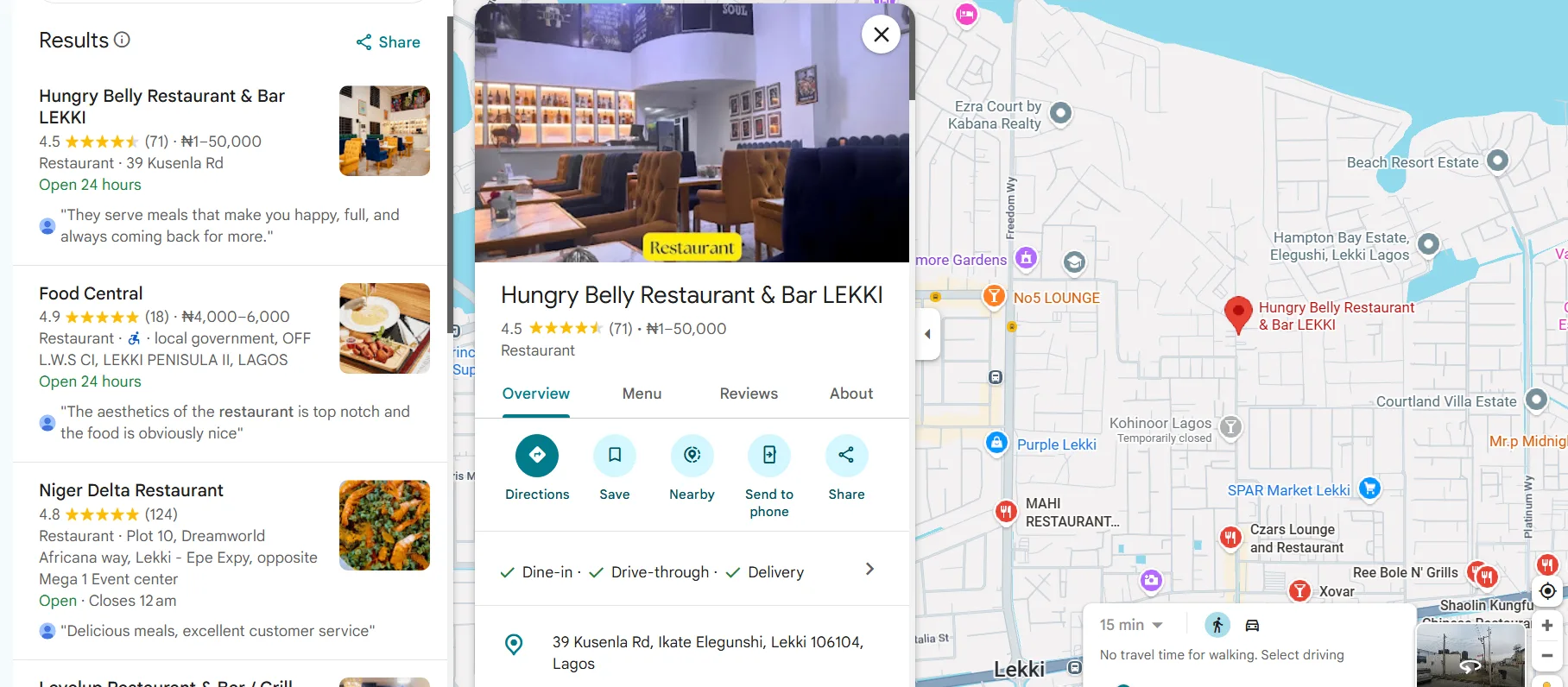
Google may verify ownership by phone, email, video, postcard, or another method depending on your location and business type. A verified profile gives you control over the information customers see.
Step 2: Choose the Right Business Category
Your primary category tells Google what your business mainly does. A dental clinic should choose “Dentist” or “Dental Clinic,” not a broad category like “Health Consultant.” A hotel should choose “Hotel,” not “Travel Agency,” unless the agency is the real business model.
Category choice affects which searches your business can appear for. Google uses the primary category as one of the strongest relevance signals in local search.
Use secondary categories only when they describe real services. A salon might add “Hairdresser,” “Beauty Salon,” and “Nail Salon” if those services are offered. Too many unrelated categories can confuse Google and weaken relevance.
The best category setup is specific, honest, and aligned with what customers actually buy. For example, a Lagos dental clinic benefits more from precise health-related categories than from broad lifestyle labels.
Step 3: Add Accurate Name, Address, Phone, and Website Details
Name, address, phone, and website details must match your real-world business information. Local SEO professionals often call these details NAPW: name, address, phone number, and website.
The NAPW consistency framework has four parts:
- Name: Use the exact business name shown on signage, documents, and your website.
- Address: Use a consistent spelling and format across Google, your website, and directories.
- Phone: Use a working local number that customers can call during business hours.
- Website: Link to the most relevant page, such as your homepage or location page.
According to the U.S. Chamber of Commerce, information in a business listing is indexed by Google and forms part of the foundation for local SEO. Conflicting contact details can reduce trust and make customers uncertain.
For service-area businesses, hide your home address if customers do not visit you there. Then list the cities, regions, or neighborhoods you serve.
Step 4: Complete Your Business Description
Your business description should explain what you do, who you serve, and what makes your business trustworthy. Google allows a short description, so every sentence should carry useful information.
A strong description includes:
- Your core service or product
- Your city, region, or service area
- Your main customer type
- A trust signal such as years of experience, specialization, or professional license
- Natural phrases customers may search for
Avoid stuffing keywords into the description. A clinic in Nairobi should not repeat “best clinic in Nairobi” several times. A better version says, “We provide family medical consultations, lab testing, and preventive care for patients in Westlands and nearby Nairobi communities.”
A complete Google Business Profile description helps customers understand your business quickly and gives Google clearer context about your services.
Step 5: Add Services, Products, Menus, and Booking Links
Services and products help customers confirm whether your business can solve their problem. A law firm can list “property law,” “business registration,” and “contract review.” A restaurant can add menu items and delivery options. A hotel can highlight rooms, amenities, and booking links.
Google Business Profile supports different features depending on the category. Restaurants may show menus and food ordering. Service businesses may show appointment links, quote requests, or service lists. Retail stores may show popular products and pickup options.
Use clear names, short descriptions, and accurate prices where possible. A vague service called “consultation” gives less value than “30-minute property purchase consultation.”
Local customer decisions are often fast. A complete service or product section helps customers choose your business while they are still comparing options on Search and Maps.
Step 6: Upload High-Quality Photos and Videos
Photos build trust before a customer contacts you. Google’s Business Profile materials explain that businesses can add logos, cover images, product photos, workplace photos, and other visuals that show what customers should expect.
Upload these image types first:
- Logo
- Cover photo
- Exterior photo
- Interior photo
- Team photo
- Product or service photos
- Before-and-after photos where appropriate
- Short videos showing the space or service experience
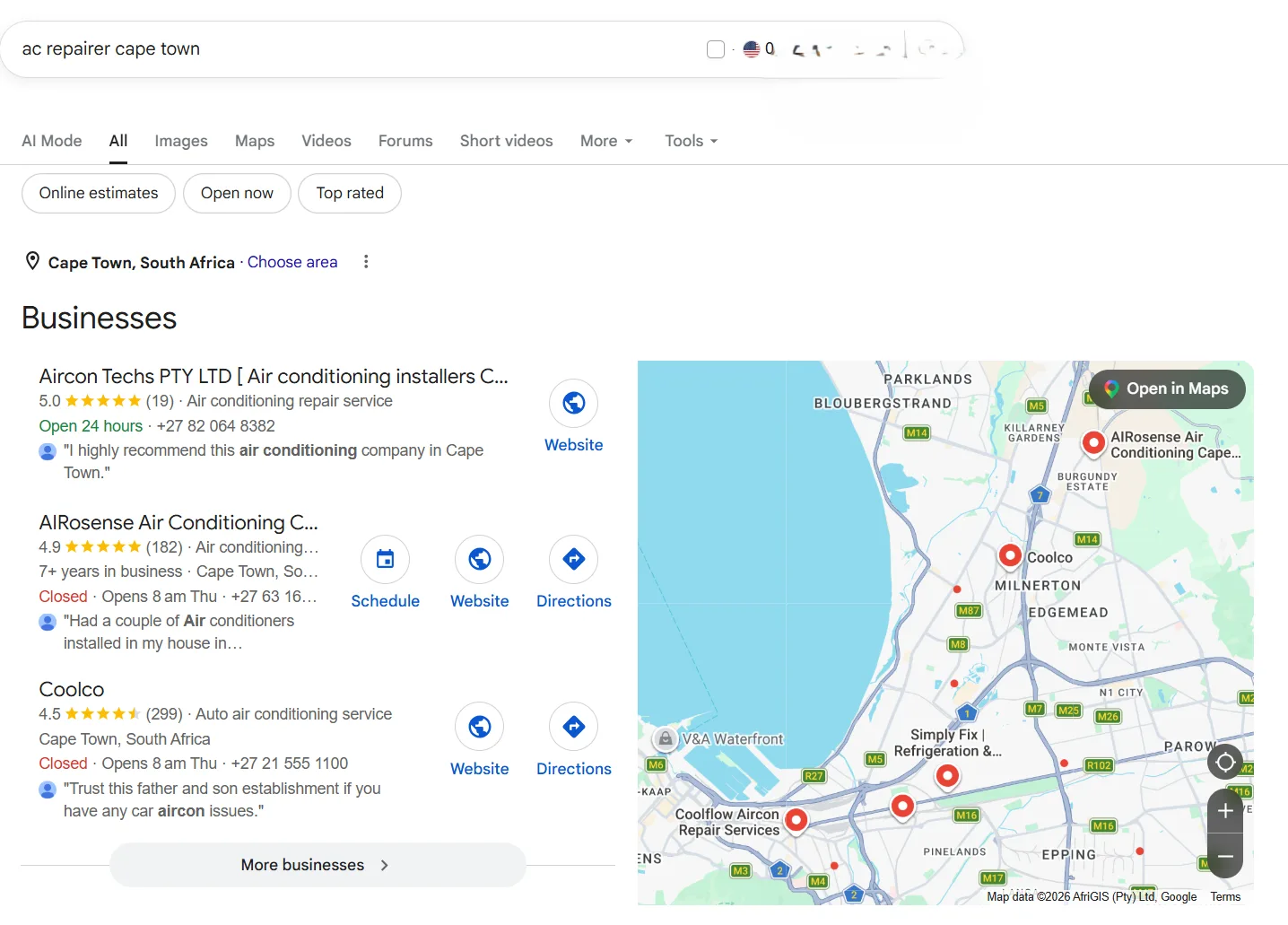
The U.S. Chamber of Commerce notes that profile photos should be at least 720 by 720 pixels and in JPG or PNG format. Clear photos matter for African hospitality, tourism, restaurants, salons, clinics, and retail businesses because customers often compare appearance, cleanliness, atmosphere, and professionalism before contacting a business.
Update photos regularly. Fresh images signal that the business is active and properly managed.
Step 7: Collect and Respond to Customer Reviews
Reviews are one of the strongest trust signals on a Google Business Profile. Customers use star ratings, review volume, review recency, and owner responses to decide whether a business is credible.
Ask satisfied customers for reviews after a successful transaction, visit, delivery, or appointment. Google provides a review link that businesses can share by WhatsApp, SMS, email, or receipt message. Never offer payment or rewards for positive reviews, because review incentives can violate platform policies.
Respond to every serious review. Thank happy customers by name where appropriate and mention the service they used. For negative reviews, acknowledge the concern, stay professional, and invite the customer to continue the conversation privately.
According to the U.S. Chamber of Commerce, many customers expect businesses to respond when they leave reviews. Review responses show future customers that the business listens and takes service quality seriously.
Step 8: Use Posts, Updates, and Questions
Google Posts let you share updates directly on your Business Profile. Use posts for offers, events, new products, seasonal announcements, hiring notices, service updates, or important changes to opening hours.
A simple posting rhythm works well:
- Publish one useful update every week or every two weeks.
- Use one clear image.
- Add a direct call to action, such as “Call now” or “Book.”
- Keep the post short and specific.
- Remove or update outdated offers.
The Questions and Answers section also matters. Customers may ask about parking, pricing, delivery, payment methods, accessibility, or appointment availability. Answer questions quickly and clearly because public answers can help future customers.
A Cape Town digital marketing business can use posts to promote audits or campaign packages, while a restaurant can use posts to promote weekend specials.
Step 9: Track Performance and Improve Monthly
Google Business Profile Performance shows how customers interact with your listing. Use the data to see which search terms, calls, direction requests, website clicks, bookings, and messages come from your profile.
Track these metrics monthly:
| Metric | What It Tells You | What to Improve |
|---|---|---|
| Searches | How customers find your business | Categories, services, and description |
| Calls | Whether searchers want direct contact | Phone visibility and business hours |
| Direction Requests | Whether customers plan to visit | Address accuracy and photos |
| Website Clicks | Whether customers need more detail | Landing page quality |
| Messages or Bookings | Whether customers are ready to act | Response speed and offer clarity |
A monthly review prevents your profile from becoming outdated. Local search performance improves when business information, reviews, photos, and services stay current.
Common Google Business Profile Mistakes to Avoid
Small errors can reduce visibility or damage trust. The most common mistakes are incomplete profiles, wrong categories, outdated phone numbers, old hours, poor photos, ignored reviews, and duplicate listings.
Avoid these specific problems:
- Adding keywords to your business name when those words are not part of the real name
- Using a virtual office address that does not represent a real customer-facing location
- Choosing too many unrelated categories
- Forgetting holiday or seasonal hours
- Leaving negative reviews unanswered
- Uploading blurry or misleading photos
- Creating multiple profiles for one location
Google Business Profile optimization works best when accuracy comes before promotion. A complete and honest profile is easier for Google to trust and easier for customers to choose.
FAQ
Is Google Business Profile Free?
Yes, Google Business Profile is free to create, verify, and manage. Businesses can add contact details, photos, reviews, products, services, posts, and opening hours without paying Google. Paid Google Ads are separate from the free Business Profile listing.
How Long Does Google Business Profile Verification Take?
Google Business Profile verification can take minutes or several days, depending on the method Google offers. Some businesses receive phone or email verification, while others must complete video verification or wait for a postcard. Large profile edits can also trigger extra checks.
How Often Should I Update My Google Business Profile?
A Google Business Profile should be reviewed at least once a month. Businesses should update hours, photos, services, products, posts, and review responses whenever information changes. Restaurants, hotels, clinics, and service providers should update more often during seasonal periods or special promotions.
What Is the Best Way to Optimize a Google Business Profile for SEO?
The best way to optimize a Google Business Profile for SEO is to keep the profile complete, accurate, active, and aligned with real customer searches. Choose the right categories, add services and products, upload quality photos, collect reviews, respond to customers, and keep contact details consistent across the web.
Can a Service Business Use Google Business Profile Without Showing an Address?
Yes, a service-area business can use Google Business Profile without showing a public street address. Businesses that visit customers, such as plumbers, mobile dentists, cleaners, consultants, and repair technicians, can hide the address and list the cities or regions they serve.
Do Reviews Help Google Business Profile Rankings?
Reviews can support Google Business Profile visibility because they provide trust, customer engagement, and service context. Review quality, review quantity, review recency, and owner responses can all influence how customers compare local businesses. A business with recent, specific reviews often appears more credible than a profile with old or unanswered feedback.
Next Steps
- Search for your business on Google Maps and confirm whether a profile already exists.
- Claim or create the profile using the correct Google account.
- Verify ownership before making major edits.
- Complete categories, contact details, services, products, photos, and description.
- Ask recent customers for honest reviews and respond professionally.
- Check performance monthly and improve the weakest areas first.
A well-managed Google Business Profile helps customers find, trust, and contact your business at the exact moment they are searching locally.
African businesses that want more visibility beyond Google can create a free listing on Destinali and help customers find their business across modern search and discovery platforms.

Destinali helps local businesses improve online visibility, discoverability, and customer acquisition across search engines, AI systems, maps, and local search platforms.
List your business →