Why Your Google Business Profile Is Not Showing up in Search
A Google Business Profile usually fails to appear because the listing is unverified, suspended, recently edited, incomplete, incorrectly configured, or not ranking for the searched location and keyword. The fastest way to diagnose why your Google Business Profile is not showing up in search is to check eligibility first, then visibility settings, business data, local ranking signals, and AI search coverage.
Google Business Profile is Google’s free business listing that allows a local business to appear on Google Search and Google Maps with its name, address, phone number, hours, reviews, photos, and services.
Follow the steps below in order. The sequence matters because ranking improvements will not help if Google has not verified or approved the profile.
Step 1: Check Whether the Profile Is Created, Claimed, and Verified
An unverified Google Business Profile is the most common reason a business does not show up in Google Search or Maps. Google must confirm that the business is real and that the person managing the profile has authority to update it.
Sign in to Google Business Profile with the Google account used for the business. Search for the business name and location inside the dashboard. If the profile appears but says verification is needed, complete the available verification method.
Google may offer phone, email, video, Search Console, or postcard verification depending on the business type and location. In some cases, postcard verification can take longer than digital methods, especially for new businesses or address changes. The right verification method depends on what Google makes available for your profile, not what another business received.
Accurate non-postcard verification can help eligible businesses confirm ownership faster when Google offers digital verification options.
Step 2: Search for Your Business the Right Way
A profile can be live but still not appear for broad searches like “restaurant near me” or “lawyer in Lagos.” Before assuming the profile is missing, search for the exact business name plus the city or area, such as “Kilimani Dental Clinic Nairobi” or “Accra Garden Hotel Osu.”
Branded searches test whether Google can find your business entity, while category searches test whether Google believes your business is relevant enough to rank. A business can appear for its own name but fail to rank for competitive category keywords.
Use Google Search and Google Maps separately. Maps results can differ from standard search results, especially on mobile devices. Also test from a location near the business, because proximity strongly affects local rankings.
If the profile appears only when you search from your own account, open an incognito browser or ask someone nearby to search from another phone. A profile that is only visible to the manager may still be under review, restricted, or not ranking publicly.
Step 3: Review Status, Suspensions, and Policy Issues
A suspended or restricted Google Business Profile can disappear from search even when the business is legitimate. Google usually sends a notice to the account that manages the profile, so check the email inbox and the Business Profile dashboard for warnings.
Common suspension triggers include keyword-stuffed business names, fake addresses, duplicate listings, virtual offices that do not meet Google’s rules, and categories that misrepresent the business. For example, a salon should not add “spa, cosmetics shop, makeup school, and beauty academy” into the business name unless those words are part of the registered name.
According to Chatmeter, penalties, suspensions, duplicate listings, and inaccurate business data are major reasons a business can vanish from Google. The practical fix is to correct the violation first, then request reinstatement through Google’s official process.
Do not create a new profile to avoid a suspension. Duplicate profiles often create a second problem and can delay recovery.
Step 4: Fix Recent Changes That May Have Triggered a Delay
Recent edits can temporarily reduce visibility while Google reviews the update. Major changes like a new business name, new address, new category, new phone number, or changed service area can take time to appear fully in search.
According to Local Falcon, Google may take up to 3 days to factor profile edits into search results. New profiles, address changes, and verification changes can take longer in some cases.
Avoid making repeated edits every few hours. Frequent changes can make the profile look unstable and may reset review timing. Make one accurate update, save the profile, and wait before testing again.
For African businesses that move locations often, such as clinics, agencies, salons, or hospitality businesses, address accuracy matters more than speed. A wrong address may bring short-term visibility but long-term trust problems.
Step 5: Complete Every Important Profile Field
Google has more confidence in complete profiles because complete data helps match a business to customer searches. A sparse profile gives Google fewer signals about what the business does, where the business operates, and which customers the business serves.
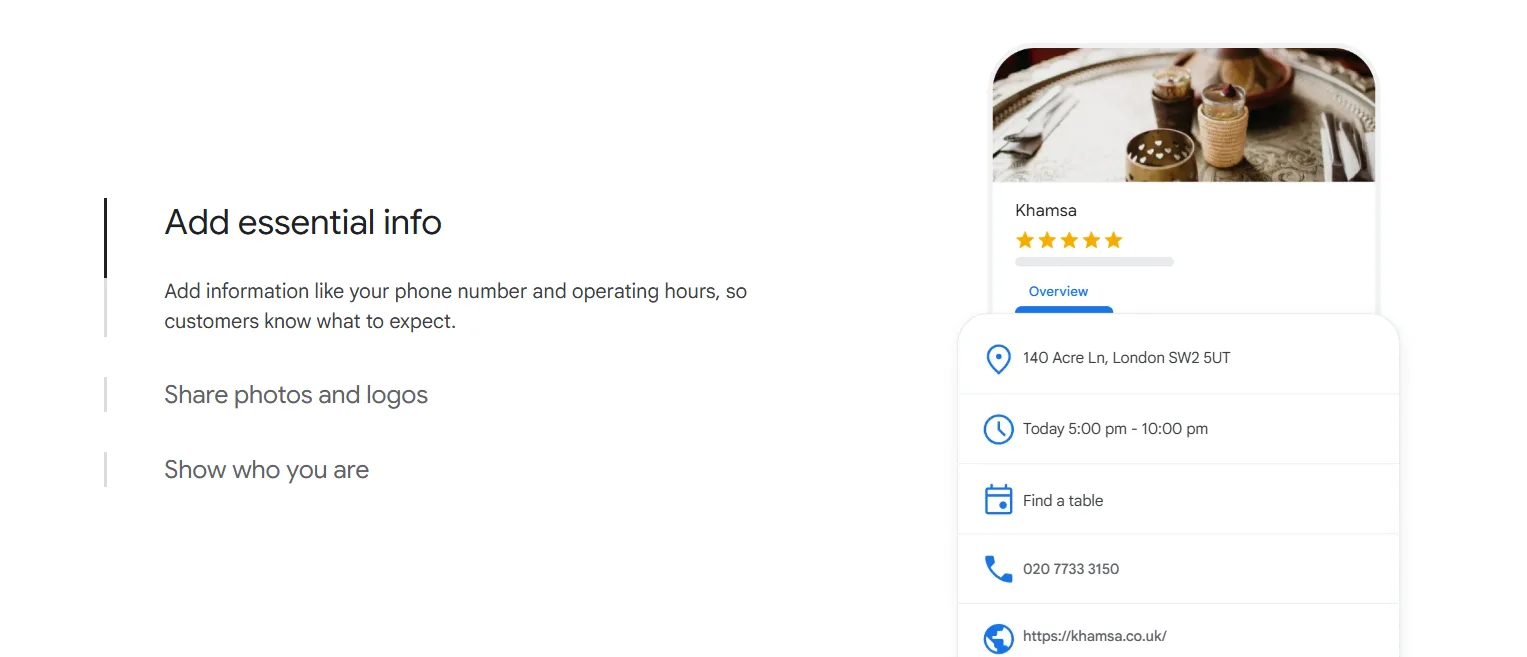
Update these fields first:
- Business name exactly as used in the real world
- Primary category that best describes the main service
- Secondary categories for important related services
- Address or service area
- Phone number and website
- Opening hours and special hours
- Business description
- Services, products, and attributes
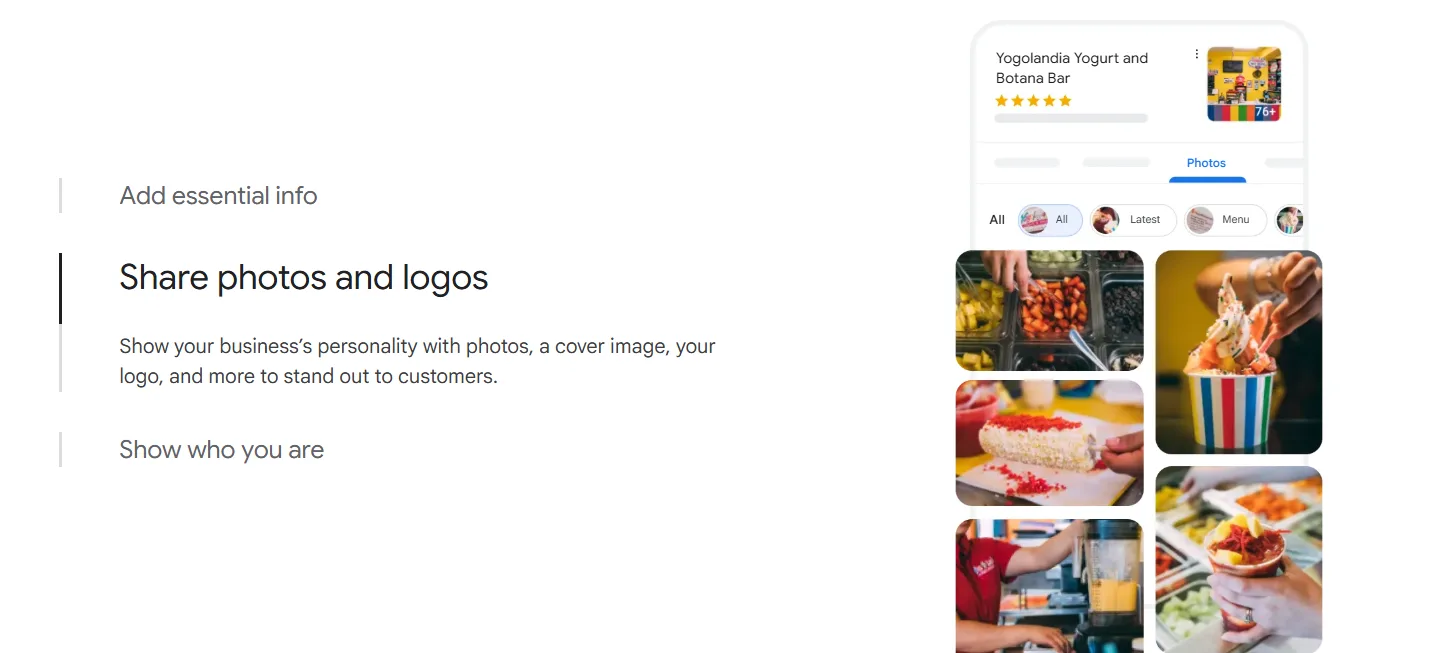
- Photos, logo, and cover image
The primary category has a strong effect on whether the profile appears for local searches. A hotel in Zanzibar, a dentist in Kigali, or an accounting firm in Pretoria should choose the category that best matches what customers search for.
Strong profile images also improve trust. Clear business profile photos help customers recognize the location, products, team, rooms, vehicles, or service environment before contacting the business.
Destinali supports local business discovery across Africa with verified business data across 54 African countries, helping businesses improve visibility beyond a single search platform.
Step 6: Correct Name, Address, and Phone Inconsistencies
NAP consistency means the same business name, address, and phone number appear across Google, the business website, social profiles, directories, and other public listings.
Inconsistent business information can make Google less confident about which listing is correct. A business may use “ABC Dental Clinic” on Google, “ABC Dental Centre” on Facebook, and “A.B.C. Dental” on a directory. Those small differences can weaken trust signals.
Check the website contact page, Facebook, Instagram, LinkedIn, local directories, booking platforms, hotel platforms, review sites, and business association pages. Update the business name, address, phone number, website, and opening hours wherever possible.
Structured local citation data helps search engines match a business across directories, maps, and discovery platforms. Consistent citations are especially important for African small businesses that rely on WhatsApp, calls, and walk-in customers.
Step 7: Remove Duplicate or Conflicting Listings
Duplicate listings can split ranking signals and confuse customers. Google may show the wrong profile, suppress both profiles, or send users to an old address.
Search Google Maps for old business names, old phone numbers, previous addresses, and common misspellings. Also search for the business category plus the street or suburb. A duplicate may exist because a customer, employee, directory, or data provider created one before the owner claimed the official profile.
If a duplicate exists, do not optimize both listings. Claim the correct listing and suggest edits, merge duplicates where possible, or contact Google support through the Business Profile dashboard. The strongest profile should represent the real business location or service area.
For multi-location businesses, each location needs a separate profile only when the location is staffed and eligible. A service-area business should not create fake branch listings in cities where it has no real presence.
Step 8: Improve Reviews, Engagement, and Local Relevance
A verified profile can still fail to appear because competitors have stronger local SEO signals. Google’s local results are shaped by relevance, distance, and prominence. Reviews, profile completeness, website relevance, and customer engagement all affect prominence.
Ask real customers to leave honest Google reviews after completed service. Respond to every review in a professional tone, including negative reviews. Review responses show customers that the business is active and accountable.
Fresh reviews can matter in competitive categories such as hotels, restaurants, clinics, real estate agencies, law firms, beauty salons, and home services. A business with 3 reviews may struggle against competitors with 80 reviews and recent responses.
Consistent Google review growth strengthens customer trust and gives Google more evidence that the business is active in its market.
Step 9: Test Location, Hours, Device, and Search Intent
Google local results change by location, time, device, and wording. A business may show for “hair salon in Ikeja” but not for “best salon near me” because the second search depends more heavily on the searcher’s exact position and competing businesses nearby.
Search from a nearby location and from farther away. Compare mobile and desktop results. Test searches during business hours and after closing. According to Local Falcon, businesses may appear less often when closed because Google can favor open businesses for immediate local intent.
An iPhone search can also look different from a desktop search because Google uses device location, app permissions, and Maps behavior. Make sure location services are on when testing mobile visibility.
Do not judge visibility from one search. Test several realistic searches that customers would use, including brand name, category, service, neighborhood, and city.
Step 10: Strengthen Website and AI Search Signals
Google Business Profile visibility is stronger when the wider web confirms the same business information. Your website should clearly show the business name, city, service areas, phone number, address, categories, and core services.
Add a contact page, location page, service pages, and local content where relevant. For example, a hotel in Kigali can publish pages for rooms, airport transfers, conference facilities, and nearby attractions. A law firm in Nairobi can publish pages for practice areas and local client needs.
AI search also matters. Google AI Overviews, ChatGPT, Gemini, Claude, and Perplexity rely on clear public information from websites, business listings, reviews, and trusted third-party mentions. A business that is invisible outside Google may be less likely to appear in AI-driven recommendations.
The future of local discovery will reward businesses with complete profiles, consistent citations, strong reviews, and clear service information across multiple platforms.
FAQ
Why Is My Google Business Profile Not Showing up After Verification?
A verified Google Business Profile may not show up immediately because Google still needs time to process the verification, review recent edits, and evaluate ranking signals. Some profiles appear within a few days, while new or recently changed businesses can take longer. A profile can also be verified but still rank poorly for broad category searches.
How Do I Get My Business Profile to Show up on Google Search?
You get a business profile to show up on Google Search by verifying the listing, completing every major field, choosing accurate categories, fixing inconsistent business data, adding photos, earning reviews, and removing duplicate profiles. A complete and trusted profile gives Google stronger evidence that the business is real and relevant to local searches.
Why Is My Google Business Profile Only Visible to Me?
A profile that is only visible to the owner may still be under review, restricted, newly verified, suspended, or not ranking publicly. Testing from an incognito browser and another device can confirm whether the listing appears to regular users. The Business Profile dashboard should also show whether Google requires action.
How Long Does It Take for My Business to Show up on Google Search?
A Google Business Profile can appear within a few days after verification, but timing depends on verification method, review status, edits, and business category. Profile edits may take up to 3 days to affect search visibility, while new listings or major address changes can take longer. Repeated edits can slow the process.
Why Is My Business Not Showing up on Google Maps?
A business may not show up on Google Maps because the profile is unverified, suspended, incorrectly categorized, missing an address or service area, or outranked by nearby competitors. Google Maps results depend heavily on distance, relevance, and prominence. A search made too far from the business can also hide the listing.
Why Is My Google Business Profile Not Showing up on iPhone?
An iPhone may not show a Google Business Profile because location permissions, app settings, search history, or search location differ from desktop results. Google Maps and Google Search can also display different local results on mobile. Testing with location services on and searching near the business gives a more accurate result.
What to Do Now
- Confirm that the profile is claimed and verified in Google Business Profile.
- Search by exact business name plus city before testing broad keywords.
- Check the dashboard for suspension, restriction, or verification messages.
- Correct major profile fields, especially category, address, phone number, hours, and services.
- Audit citations across the website, social profiles, directories, and review platforms.
- Remove duplicates and strengthen reviews, photos, and local content.
- Track visibility across Google Search, Google Maps, and AI-driven discovery channels.
African businesses that want wider discovery across search, maps, and AI platforms can create a free listing in minutes.
Destinali helps local businesses improve online visibility, discoverability, and customer acquisition across search engines, AI systems, maps, and local search platforms.
List your business →