What to Do When Your Google Business Profile Listing Gets Removed From Maps
When a Google Business Profile disappears from Maps, the cause is almost always one of three things: a profile suspension, a failed or lapsed verification, or accidental deletion. Each situation has a different fix, and applying the wrong solution – particularly creating a new listing while a suspension is active – can make recovery significantly harder. This guide walks through how to diagnose what happened and restore your visibility step by step.
Step 1: Diagnose What Actually Happened
Before taking any action, identify the specific problem. The fix depends entirely on the cause.
Check Your Google Business Profile Dashboard
Log into business.google.com. Look for one of three signals:
- A red suspension notice at the top of the dashboard means your profile has been suspended and removed from public view.
- A "Verification needed" banner means your listing is unverified or requires re-verification.
- A completely missing listing with no notice typically indicates accidental deletion.
Search Maps in an Incognito Window
Open Google Maps in a private browser window and search your exact business name plus your city. If nothing appears, you are dealing with a suspension or deletion. If a listing appears that you cannot manage, a duplicate may exist under a different account.
Retrieve Your Customer ID (CID)
Your CID number speeds up any interaction with Google support. Check past Google notification emails – review alerts and update emails often include it. If you ever embedded a Google Maps widget on your website, the embed code may also contain the CID. Note it down before proceeding.
Step 2: Fix a Suspended Profile
Suspension is the most common reason a Google Business Profile disappears from Maps. Google suspends profiles automatically when its systems detect a guideline violation. The listing is removed from search and Maps immediately, though it remains visible in your dashboard.
Do not create a new listing. This is the most damaging mistake a business owner can make during a suspension. Creating a duplicate violates Google's policies and can result in both listings being permanently removed.
Identify the Violation
Google rarely specifies the exact reason for a suspension. Review your profile against these common triggers:
- Keyword-stuffed business name: Your business name must match your real-world signage exactly. Adding location names, taglines, or descriptive keywords – for example, changing "Kamau Legal" to "Kamau Legal – Best Lawyer in Nairobi" – is a primary suspension trigger.
- Invalid address: P.O. boxes, virtual office addresses, and co-working spaces are not permitted unless staff are present at that location during business hours. For service-area businesses operating from a home address, the address must be hidden from the public profile.
- Duplicate listings: Multiple profiles for the same business at the same address will trigger suppression or suspension. All duplicates must be removed before filing an appeal.
- Category misrepresentation: Selecting categories unrelated to your actual services to capture broader searches is a known policy violation.
- Suspicious edit patterns: Making numerous major changes to your profile in a single session – name, address, category, and phone number simultaneously – can flag the account for review.
The soft vs. hard suspension distinction also matters here: a hard suspension removes your listing from Maps entirely, while a soft suspension locks you out of management access without necessarily making the listing disappear. Each requires a different recovery approach.
Correct the Violation Before Filing
Fix every identified problem on your profile before submitting any appeal. Submitting an appeal on an uncorrected profile guarantees rejection. Once corrections are in place, move to the next step.
Step 3: Submit a Reinstatement Request
With the violation corrected, prepare your documentation and submit a formal reinstatement request.
Gather Supporting Documents
Prepare the following before opening the appeal form:
- Dated exterior photos of your business signage or premises
- A utility bill or lease agreement matching your listed address
- A government-issued business registration certificate or license
- A brief written explanation of your business and its operations
Having all files ready before you open the form matters. Once the Google appeal form is open, you have approximately 60 minutes to upload documents before the session times out.
Submit the Appeal
Go to business.google.com/support and locate the reinstatement request form. Write a clear, factual explanation of your business. Focus on demonstrating that your listing complies with Google's guidelines – do not dispute Google's decision or argue the suspension was unfair. State the facts, reference your documents, and submit once.
Submitting multiple identical appeals can delay processing or result in Google blocking future appeal attempts entirely. The reinstatement request process requires one clean, well-documented submission – not repeated follow-ups.
Wait and Monitor
Reinstatement typically takes 3 to 14 business days. If two weeks pass with no update, post in the Google Business Profile Community forum with your case details and CID number. A Google Product Expert can escalate the case directly.
Step 4: Recover a Deleted Listing
If the listing is completely absent from your dashboard with no suspension notice, it was likely deleted – either by someone with account access or during an agency or email migration.
Contact Google support at business.google.com/support with your CID number and request that the original listing be reinstated. If the original can be recovered, your reviews and accumulated authority will be preserved.
If recovery is not possible, create a new Google Business Profile and complete verification. Then contact Google support again with your old CID number and request a transfer of reviews from the deleted listing to the new one. This is not guaranteed, but Google does accommodate it in some cases.
Step 5: Complete or Repeat Verification
If the issue is an unverified or reverification-required profile, no appeal is needed – only a completed verification process. An unverified profile is held in a non-public state and will not appear in Maps or local search results.
For most businesses in 2025 and 2026, video verification is the standard method. The video must be recorded on a mobile device in a single unedited take and must show three things: the surrounding area confirming your physical location, your business signage matching the name on the profile exactly, and footage demonstrating your authority to manage the premises – such as unlocking the front door, accessing a staff-only area, or using a point-of-sale system.
Alternative verification methods – postcard, phone, SMS, or email – may be available depending on the business type and account history. New profiles can take two to four weeks to appear consistently in Maps after verification is complete, particularly in competitive areas. For businesses that need verification without a postcard, several alternative verification paths are available depending on your account history and business type.
Step 6: Audit and Strengthen the Profile After Recovery
Reinstatement restores visibility, but a recovered profile often needs attention before it performs at its previous level. A suspension can cause a temporary drop in local rankings even after the listing is restored.
Complete every section of the profile: business hours, primary and secondary categories, a keyword-natural business description, a verified website URL, and at least ten recent photos. Consistency across your business name, address, and phone number on your website, your Google profile, and every online directory matters. Inconsistent NAP data signals lower trust to Google's algorithm and can suppress your listing from local pack results even without a formal suspension.
Destinali helps African businesses across 54 countries strengthen exactly this kind of online foundation – from accurate business listing data to structured visibility across search engines and AI-powered discovery platforms. A well-optimized listing on a trusted directory also reinforces the consistent NAP signals Google looks for when ranking local results.
If your profile was penalized for thin or low-quality content signals, adding structured, locally relevant content – including posts, updated photos, and responses to every review – accelerates recovery. A profile that actively publishes content and engages with customers signals to Google that the listing is real, current, and managed.
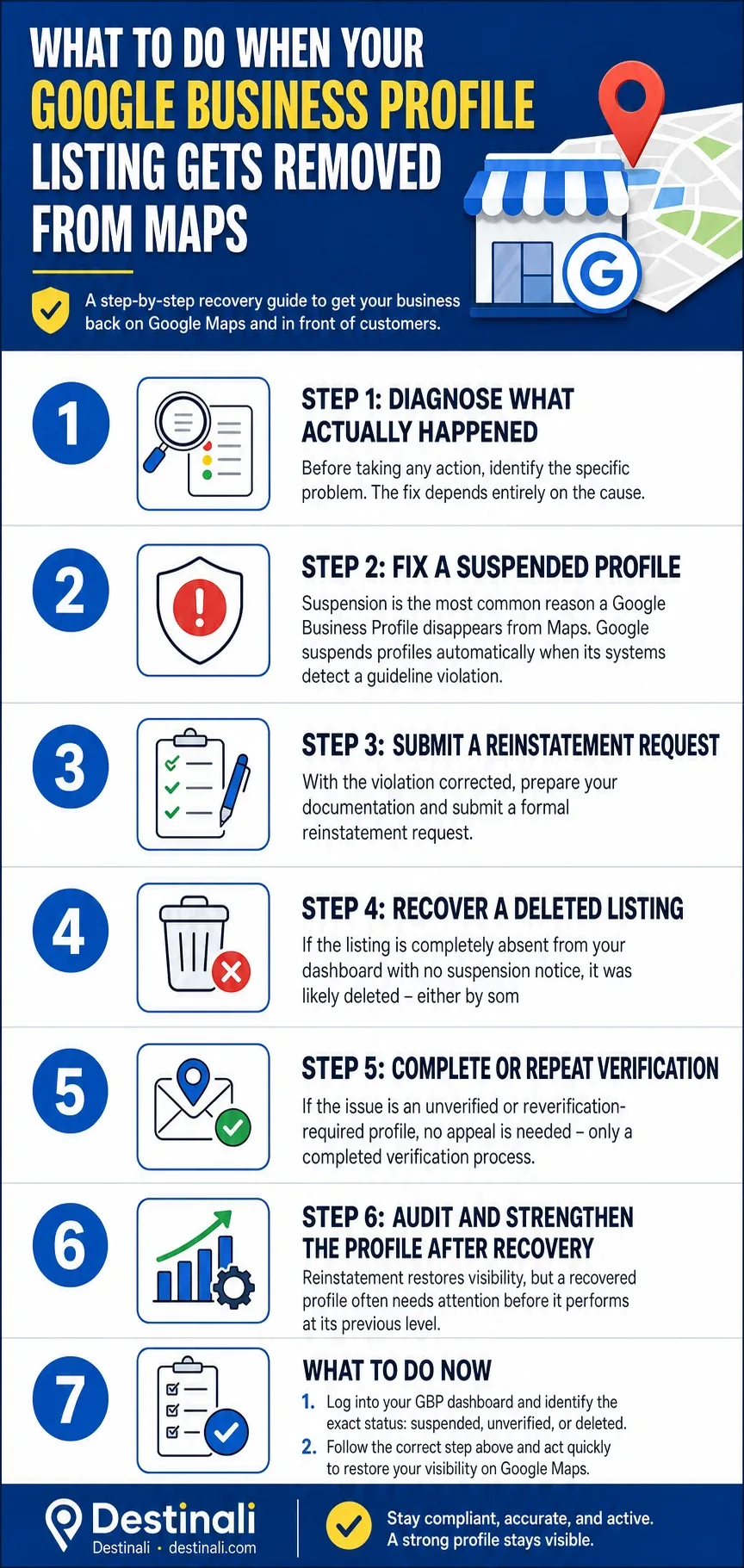
What to Do Now
- Log into your GBP dashboard and identify the exact status: suspended, unverified, or deleted.
- Do not create a duplicate listing under any circumstances while a suspension is active.
- Fix every guideline violation on your profile before submitting a reinstatement appeal.
- Gather documentation – signage photos, utility bills, and your business registration – before opening the appeal form.
- Submit one clean appeal and allow up to 14 business days for a response.
- After reinstatement, audit your NAP consistency across your website and every directory where your business appears.
- Expand your visibility beyond Google alone. A business that relies on a single platform for all its online presence is exposed whenever that platform changes its policies or algorithms. You can create a free listing on Destinali to establish a verified, structured presence that supports discoverability across search engines, AI tools, and Maps – independent of any single platform's decisions.
Frequently Asked Questions
Why Did My Google Business Profile Disappear From Maps?
A Google Business Profile disappears from Maps for one of four reasons: it has been suspended for a guideline violation, it was never fully verified or requires re-verification, it was accidentally deleted by someone with account access, or it is being suppressed by Google's algorithm due to a nearby duplicate listing. Checking your GBP dashboard is the fastest way to identify which situation applies.
What Is the Difference Between a Hard Suspension and a Soft Suspension?
A hard suspension removes the listing entirely from Google Maps and Search – no one can find the business online. A soft suspension locks the account owner out of management access, but the listing may still be visible to the public. Both require correcting the underlying violation and submitting a reinstatement request, but the recovery steps differ in urgency and approach.
Can I Create a New Listing While My Suspended Profile Is Being Reviewed?
No. Creating a new listing while a suspension is active is a direct violation of Google's guidelines against duplicate listings. Doing so can result in both the original and new listings being permanently removed. The only correct path is to fix the violation on the existing profile and submit a single, well-documented reinstatement request.
How Long Does Google Take to Reinstate a Suspended Business Profile?
Reinstatement typically takes between 3 and 14 business days after a valid appeal is submitted. Some businesses see a response within 24 hours; others wait the full two weeks. Submitting multiple appeals does not speed up the process and can delay it further. If no response arrives after 14 days, escalate through the Google Business Profile Community forum.
What Documents Should I Include in a Reinstatement Appeal?
Include dated exterior photos showing your business signage, a utility bill or lease agreement that matches your listed address, a government-issued business license or registration certificate, and a brief written explanation of what your business does and how it operates. All documents should be ready before opening the appeal form, as the upload window is time-limited.
Why Is My Business Not Showing up on Google Maps Even After Verification?
A newly verified profile can take two to four weeks to appear consistently in Maps results, particularly in competitive markets. Beyond timing, profiles with incomplete information – missing hours, no photos, no business description – rank lower in local results even when fully verified. Inconsistent NAP data across your website and other directories can also suppress visibility without triggering a formal suspension.
What Happens to My Reviews If My Listing Is Deleted?
If the original listing can be recovered through Google support using your CID number, your reviews are preserved. If the listing is unrecoverable and a new profile must be created, you can request a review transfer by contacting Google support with your old CID number. Google accommodates this in some cases, but it is not guaranteed.

Destinali helps local businesses improve online visibility, discoverability, and customer acquisition across search engines, AI systems, maps, and local search platforms.
List your business →