How to Measure Local SEO Performance Using a Rank Tracker
Rank data without context is just noise. A local rank tracker shows you where your business appears in search results across specific cities, neighborhoods, and service areas but the real value comes from knowing which numbers to watch, what they signal, and how to connect them to business outcomes like calls, direction requests, and walk-ins.
This guide walks through the metrics that matter, how to read them, and how to build a reporting process you can repeat every month.
Step 1: Set up Your Rank Tracker With the Right Keywords and Locations
Before you can measure anything, your tracker needs accurate inputs. Most businesses make the mistake of tracking broad keywords from a single location – which produces data that looks clean but reflects almost nothing about how real customers find them.
Local search results vary significantly by geography. A restaurant in Lagos that ranks third in Lekki may not appear in the top ten in Ikeja, even for the same search term. A clinic in Nairobi ranking well near its physical address may be invisible to patients searching three kilometers away.
Configure your rank tracker to monitor keywords tied to actual service locations:
- Add your core service keywords combined with city and neighborhood names (for example, "plumber in Accra" or "salon in Lekki Phase 1")
- Set tracking locations to the specific districts or postal areas your business serves – not just one central point
- Include "near me" variants where relevant, since these trigger proximity-based results that differ from explicit city searches
- Track both mobile and desktop positions separately, as local results frequently differ between devices
Accurate local keyword research across the cities you want to serve is the foundation. Rankings tracked against the wrong terms or locations produce misleading data and misleading data leads to wasted effort.
Step 2: Identify the Four Metrics That Actually Drive Decisions
Most rank trackers surface a long list of numbers. The majority are informational at best, distracting at worst. Four metrics consistently connect rank data to business decisions.
Average Position
Average position measures where your business ranks across all tracked keywords and locations over a given period. A single keyword position on a single day is too volatile to act on. An average position calculated across your full keyword set over 30 days shows a genuine signal.
Watch the direction of movement more than the absolute number. Moving from an average position of 8.2 to 6.7 over a month indicates upward momentum – even if neither number lands you in the local pack.
Ranking Distribution
Ranking distribution shows what percentage of your tracked keywords fall into specific position bands: top 3 (local pack), positions 4–10, positions 11–20, and beyond. This is a more useful view than average position alone because it shows concentration.
A business with 60 percent of keywords in positions 1–3 and 30 percent beyond position 20 has a very different problem from one with 90 percent of keywords clustered in positions 6–12. The first needs to defend its top rankings and recover lost ones. The second needs a broader visibility push.
Share of Local Pack Appearances
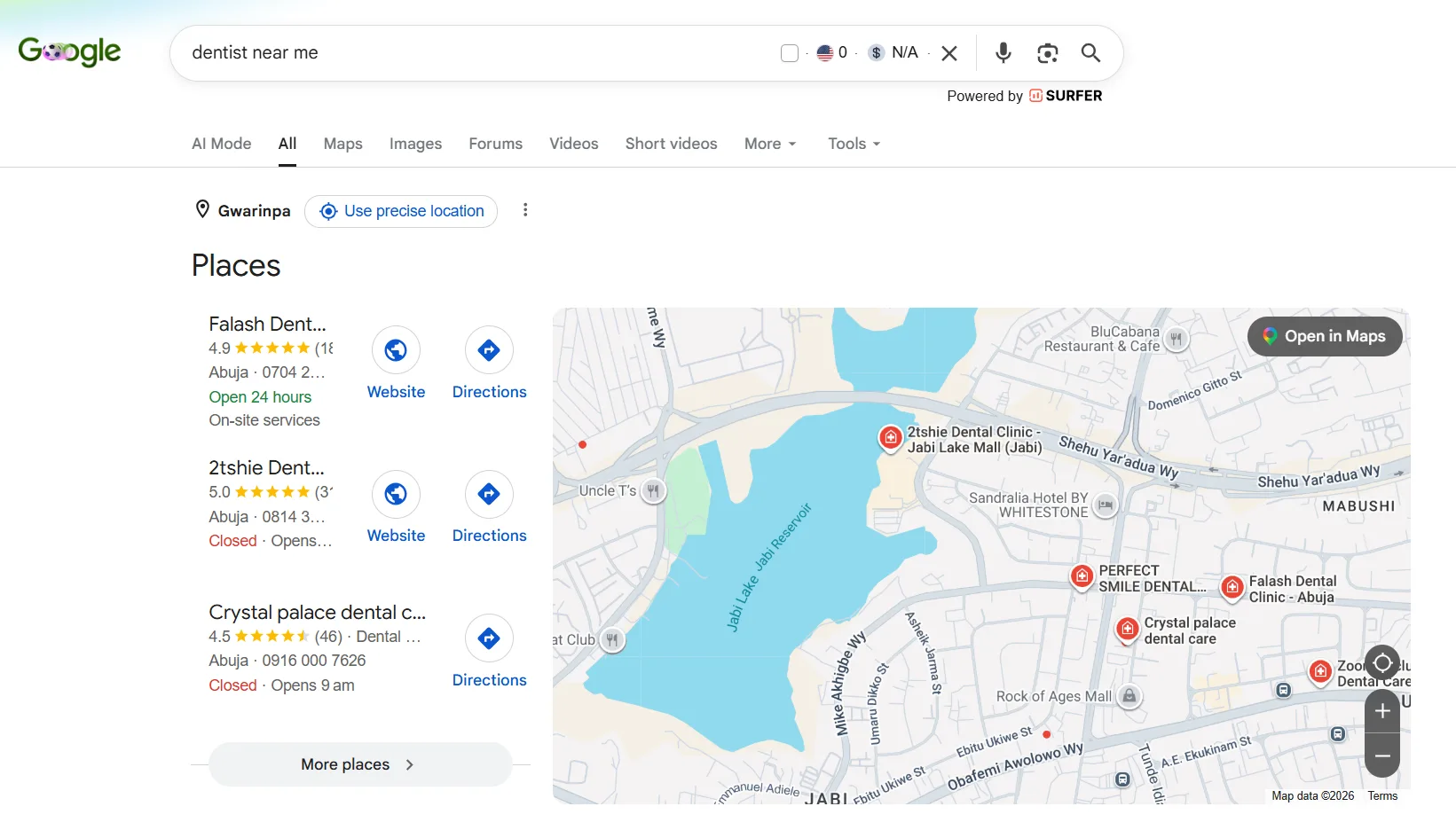
The local pack – the map-based block of three businesses that appears at the top of local search results – captures the majority of high-intent clicks, particularly on mobile. Tracking how often your business appears in these top three positions, expressed as a percentage of total tracked searches, is one of the strongest leading indicators of customer acquisition through local search.
A drop in local pack share often precedes a drop in calls and direction requests. Monitoring this metric weekly catches problems before they become expensive.
Rank Trend Over Time
A single snapshot of your rankings tells you where you stand today. A trend line across 90 or 180 days tells you whether your local SEO activity is working. Most rank trackers display this as a chart. What you're looking for: steady upward movement after content or citation work, stability after a Google algorithm update, or an unexplained drop that needs investigation.
Businesses that only check rankings occasionally miss the pattern entirely. Consistent weekly or bi-weekly tracking makes trends visible.
Step 3: Connect Rank Data to Business Outcomes
Rank improvements only matter if they produce real results. The connection between rankings and business outcomes runs through three measurable signals and each one requires a different data source.
Calls and Direction Requests
Google Business Profile (GBP) provides data on how many users called your business, requested directions, or clicked to your website directly from your listing. Pull this data monthly and overlay it against your ranking trend. When rankings improve, call volume and direction requests should follow within four to eight weeks. If rankings rise but calls do not, the problem is likely in the listing itself – weak photos, incomplete hours, or a low review rating reducing click-through.
Website Traffic From Local Search
Google Search Console shows which search queries are driving clicks to your website, where those users are located, and what your average position is for each query. Filter by country or city to isolate local traffic. Cross-reference this with your rank tracker data: if you rank well for a keyword but receive few clicks, your title tag or meta description may not be compelling enough.
Destinali's local rank tracking tool tracks keyword positions across cities and neighborhoods and surfaces these kinds of ranking-to-traffic gaps directly – a practical starting point for businesses that want a single place to monitor local search performance without stitching together multiple platforms.
Conversion Actions on Your Site
Traffic alone is not a business outcome. Track what local visitors do after they arrive: do they call, fill out a form, book an appointment, or request a quote? Set up conversion tracking in Google Analytics to measure these actions by traffic source. Local organic traffic that converts at a high rate validates your keyword targeting. Traffic that bounces immediately suggests a mismatch between what the searcher expected and what the page delivered.
Step 4: Separate Vanity Metrics From Actionable Signals
Several numbers that appear prominently in rank tracking reports deserve skepticism.
Impression counts – how often your listing appeared in search results – are large, satisfying numbers that rarely correlate with business growth. High impressions with low click-through rates indicate a visibility problem at the listing level, not a ranking success.
Total keyword count – the number of keywords you rank for, regardless of position – inflates easily. Ranking 47th for a keyword has no practical value. Focus your attention on keywords in positions 1–20, where clicks are possible.
Rankings checked in isolation from location – a rank of 4 in one neighborhood and 14 in a neighboring district are very different situations that a single average can obscure. Businesses serving multiple areas across a city need rankings tracked across those neighborhoods individually, not blended into one aggregate figure.
The discipline of measuring local SEO performance is, in large part, the discipline of ignoring comfortable numbers in favor of useful ones.
Step 5: Build a Repeatable Monthly Reporting Process
Measurement without a reporting cadence produces insights that get acted on once and then forgotten. A consistent monthly process turns data into decisions.
Structure your monthly local SEO report around five questions:
- Did average position improve or decline this month? Compare this month's average to the prior month and to 90 days ago.
- Did local pack share increase? Calculate the percentage of tracked keywords appearing in the top 3 this month versus last month.
- Did calls and direction requests move? Pull GBP data and look for directional change.
- Which keywords moved most significantly? Identify the five keywords with the largest positive and negative changes. Investigate the drops – a competitor may have strengthened their listing, or a review spike may have boosted a rival's pack position.
- What action does this data require? Every report should end with one to three specific next steps: publish a location-specific service page, respond to recent negative reviews, correct an inconsistent citation, or add new tracking keywords for a service area you want to expand into.
A report that answers these questions takes less than an hour to produce. A report that tries to include every available metric takes half a day and produces no decisions.
FAQ
What Is a Local Rank Tracker?
A local rank tracker is a tool that monitors where a business appears in search engine results for specific keywords across defined geographic locations – cities, neighborhoods, or service areas. Unlike standard rank trackers that measure national or global positions, local rank trackers scan results as they appear to users in particular locations, giving a more accurate picture of local search visibility.
How Often Should I Check My Local Rankings?
Weekly tracking is the recommended baseline for most local businesses. This frequency is frequent enough to catch meaningful changes – a competitor gaining ground, an algorithm update shifting positions, or a citation issue dragging rankings down – without creating data overload from daily fluctuations that carry no signal. Monthly reviews are appropriate for strategic reporting; weekly checks are for operational monitoring.
What Is the Local Pack and Why Does It Matter for Ranking Measurement?
The local pack is the block of three business listings with map pins that appears near the top of Google's search results for local queries. It captures the highest share of clicks for location-based searches, particularly on mobile. Measuring your share of local pack appearances – what percentage of tracked searches trigger a top-three listing – is one of the most direct indicators of local search performance because it represents the positions where most customer actions happen.
What Is the Difference Between Average Position and Ranking Distribution?
Average position is a single number that summarizes where a business ranks across all its tracked keywords. Ranking distribution breaks that down into position bands – for example, 40 percent of keywords in the top 3, 35 percent in positions 4–10, and 25 percent beyond position 10. Ranking distribution is more actionable because it shows the shape of your visibility, not just a midpoint, making it easier to identify whether the priority is defending top rankings or lifting a cluster of mid-page results.
Can I Track Local Rankings for Free?
Several tools offer limited free local rank checking, including Google Search Console, which shows average position and click data by search query. Dedicated local rank trackers with geogrid scanning, neighborhood-level tracking, and trend reporting typically require a paid plan. For businesses with a small keyword set and a single location, Search Console combined with Google Business Profile Insights provides a workable free baseline.
How Do I Know If My Rank Improvements Are Actually Driving Business Results?
Cross-reference your rank trend data with three other data sets: Google Business Profile calls and direction requests, Google Search Console click data filtered by local keywords, and on-site conversion actions tracked in Google Analytics. When rankings improve and these downstream metrics move in the same direction within four to eight weeks, there is a clear connection. When rankings improve but business signals stay flat, the problem is typically in the listing quality, review rating, or landing page experience rather than the ranking itself.
Why Do My Rankings Look Different on My Phone Than in My Rank Tracker?
Local search results are highly personalized. Google adjusts results based on the device, the user's precise location at the time of the search, their search history, and other behavioral signals. A rank tracker simulates searches from a fixed point in a specific location without personalization signals. The results it returns represent a neutral baseline – useful for tracking trends over time but will not match exactly what any individual sees on their personal device.
What to Do Now
- Configure your rank tracker with neighborhood-level locations and service-specific keyword combinations, not just broad city terms.
- Add local pack share and ranking distribution to your reporting alongside average position – these two metrics surface the strategic picture that a single number hides.
- Set up a monthly reporting template built around the five questions in Step 5, and commit to producing it on the same date each month.
- Connect rank data to GBP insights and Search Console click data before drawing any conclusions – rankings tell you where you appear; these sources tell you whether appearance is producing results.
Local businesses ready to start tracking their positions across cities and service areas can track their local rankings with Destinali's local rank tracking tool and begin building a measurement foundation that connects search visibility to real customer activity.

Destinali helps local businesses improve online visibility, discoverability, and customer acquisition across search engines, AI systems, maps, and local search platforms.
List your business →